
FREE LINKEDIN CAROUSEL TEMPLATES
LinkedIn Carousel Templates
Browse 500+ free LinkedIn carousel templates. AI fills them from your blog, URL, or topic. It then auto-applies your brand kit and publishes directly to LinkedIn. No design skills needed.
1000+ LinkedIn Carousel Templates — Ready to Use
Browse by category. Pick a template. Let AI write the content and apply your brand. Publish in 60 seconds.
363 templates · page 11 of 19
Free to customize in the editor
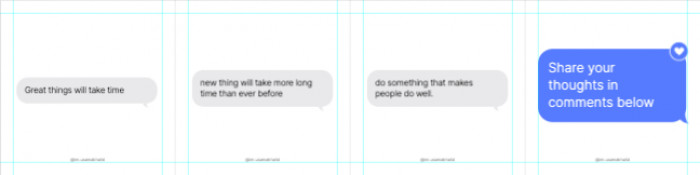



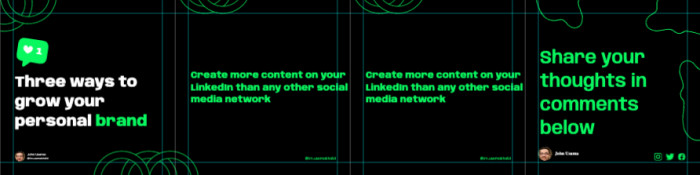
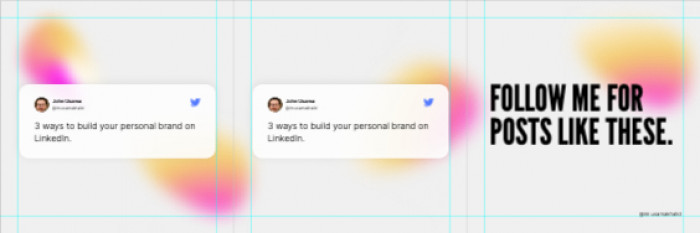

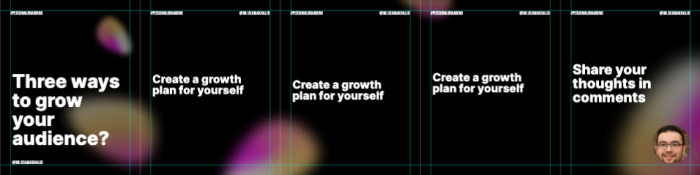












The LinkedIn Carousel Generator That Does the Work
Contentdrips does not just give you a blank template. The AI reads your source: blog post, YouTube video, URL, TikTok, or plain topic. It then generates the full carousel: hook slide, value slides, CTA slide. Your brand is applied automatically. You publish directly to LinkedIn.
- Generate from any URL, blog post, or YouTube video
- Brand kit auto-applied at generation and
- Match My Style AI writes in your voice
- Conversational AI Design Agent for real-time edits
- Direct LinkedIn publish to profiles and Company Pages
Not Just Another Template Tool
Canva gives you blank templates. Contentdrips gives you a LinkedIn carousel that is already written, branded, and ready to post.
AI-Generated Content, Not Just Design
Other tools give you an empty template. Contentdrips fills the template: slide headlines, body copy, hook, and CTA. It generated from your actual content in seconds. ✗ Canva/Figma: Design tools. You still write everything. ✓ Contentdrips: AI writes + designs from your input.
Your Brand, Every Single Time
Import your full brand kit: fonts, colors, logo, gradients. The AI applies it to every carousel automatically. No re-styling. No off-brand posts from team members. ✗ Others: Manual styling per template. ✓ Contentdrips: Brand kit locks in at generation.
Publish Without Leaving
Design, schedule, and publish your LinkedIn carousel from one dashboard. Direct publishing to LinkedIn personal profiles and Company Pages. ✗ Others: Export, download, manually post. ✓ Contentdrips: One-click publish from inside the tool.
Repurpose Everything Into Carousels
Turn any blog post, YouTube video, TikTok, RSS feed, or Twitter/X thread into a LinkedIn carousel with one click. ✗ Others: Start from scratch every time. ✓ Contentdrips: Repurpose existing content instantly.
Bulk Create & Schedule 2 Weeks Ahead
The bulk post planner lets you create and schedule up to two weeks of LinkedIn carousels in a single workflow. ✗ Others: One post at a time. ✓ Contentdrips: 14 days of carousels in one flow.
Data Visualization Carousels
Paste raw data into the AI Design Agent and it generates chart-based carousel slides: bar graphs, line charts, data breakdowns. Designed for LinkedIn. ✗ Others: Requires separate chart tools. ✓ Contentdrips: Data to designed chart slide in seconds.
LinkedIn Carousel Templates for Every Creator
Browse templates by role and use case. Each category is designed for how that type of creator actually uses LinkedIn.
Founders & CEOs
Thought leadership, vision posts, company updates
Marketers
Campaign results, frameworks, trend breakdowns
SaaS & Tech
Feature launches, roadmaps, product walkthroughs
Agencies
Case studies, client results, service breakdowns
Coaches & Consultants
Frameworks, lessons, transformation stories
Sales Professionals
Pipeline tips, objection handling, client wins
Researchers & Analysts
Data summaries, charts, findings breakdowns
Content Creators
Personal brand, storytelling, audience growth
What Creators Say About Our LinkedIn Carousel Templates
★★★★★
“Contentdrips is my must-have tool for LinkedIn. I use it for all my LinkedIn content creation. Anyone serious about leveraging LinkedIn needs this.”
JJames R.
LinkedIn Creator · 12K Followers
★★★★★
“Everyone asks who my designer is. Contentdrips gave me design superpowers. The brand kit means every carousel looks like it was done by a professional agency.”
SSara A.
Marketing Consultant
★★★★★
“The repurposing feature saves me hours every week. I repurpose my Twitter content for LinkedIn and get way more reach. Simple, fast, on-brand every time.”
MMike K.
SaaS Founder
Frequently Asked Questions About LinkedIn Carousel Templates
What is a LinkedIn carousel template?
A LinkedIn carousel template is a pre-designed multi-slide layout built for LinkedIn’s PDF carousel format. Each template includes slide structure, typography, and visual hierarchy — optimized for LinkedIn’s 1080x1080px (square) or 1080x1350px (portrait) carousel format. Contentdrips templates are AI-compatible: the AI fills the slide content from your topic, URL, or blog post automatically.
What size is a LinkedIn carousel?
LinkedIn carousels use a 1:1 square (1080x1080px) or 4:5 portrait (1080x1350px) format for individual slides. Contentdrips automatically formats every template to LinkedIn’s exact specifications.
How many slides should a LinkedIn carousel have?
Most high-performing LinkedIn carousels have between 5 and 10 slides. The first slide is your hook, the middle slides deliver value, and the last slide contains your CTA. Contentdrips templates are pre-structured with this flow in mind.
Can I use AI to create a LinkedIn carousel?
Yes. Contentdrips AI can generate a full LinkedIn carousel from a topic, blog URL, YouTube video, or TikTok link. The AI writes the content, applies your brand kit, and formats it for LinkedIn — ready to publish in under a minute.
What is the difference between a LinkedIn carousel and a PDF?
LinkedIn carousels are uploaded as PDF files to LinkedIn, but they display as swipeable slide posts in the feed. The format drives higher engagement than static image posts. Contentdrips exports carousels as LinkedIn-ready PDFs automatically.
How do I make a LinkedIn carousel post?
Choose a template in Contentdrips, enter your topic or paste a URL, let the AI generate your slides, apply your brand kit, then publish or schedule directly to LinkedIn — all from one tool.
Are the LinkedIn carousel templates really free?
Yes. Contentdrips offers a free forever plan that includes access to 500+ templates including all LinkedIn carousel templates, AI carousel generation, and the brand kit — no credit card required.
Does Contentdrips work for teams and agencies making LinkedIn carousels?
Yes. Contentdrips supports multi-user workspaces with team collaboration features. Agencies can maintain separate brand profiles per client, generate at-scale carousels via CSV bulk upload or the API, and manage publishing across multiple LinkedIn Company Pages.
More Carousel & Social Templates
Explore more template categories built for social media creators and LinkedIn professionals.